> ## Documentation Index
> Fetch the complete documentation index at: https://docs.piebald.ai/llms.txt
> Use this file to discover all available pages before exploring further.
# Chat view configuration
Available in [Piebald Pro](https://piebald.ai/pricing)
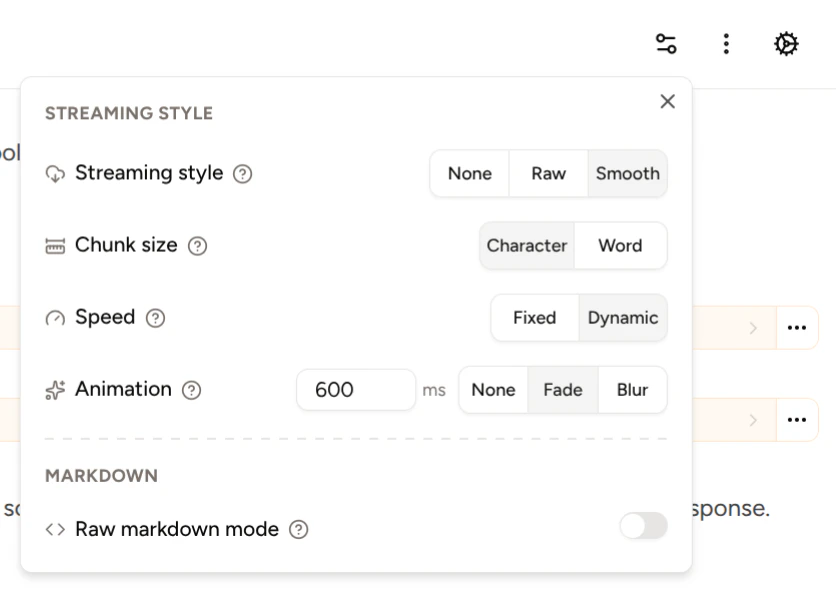
Piebald's chat view can be configured to look and behave a few different ways. These configuration options are available in the **Configuration** dropdown accessible from the switches icon in the top right corner.
 ### Smooth streaming configuration
You can customize the way text is streamed to the chat view.
* **Streaming type:** Choose None for no streaming, Raw for streaming exactly as the upstream provider streams tokens, and Smooth for the customizable streaming experience.
* **Streaming speed:** Set a fixed speed in milliseconds (e.g. 100ms) or dynamic speed to stream at the speed that tokens are generated by the upstream provider.
* **Chunk size:** Set whether to stream by character or by word.
* **Animation:** Choose no animation, a fade animation, or a blur animation.
* **Animation speed:** Set the animation speed to a fixed speed in milliseconds.
Selecting the **Blur** animation will produce streaming that looks like this:
### Smooth streaming configuration
You can customize the way text is streamed to the chat view.
* **Streaming type:** Choose None for no streaming, Raw for streaming exactly as the upstream provider streams tokens, and Smooth for the customizable streaming experience.
* **Streaming speed:** Set a fixed speed in milliseconds (e.g. 100ms) or dynamic speed to stream at the speed that tokens are generated by the upstream provider.
* **Chunk size:** Set whether to stream by character or by word.
* **Animation:** Choose no animation, a fade animation, or a blur animation.
* **Animation speed:** Set the animation speed to a fixed speed in milliseconds.
Selecting the **Blur** animation will produce streaming that looks like this:
 **Fade** looks like this:
 ### Raw markdown mode
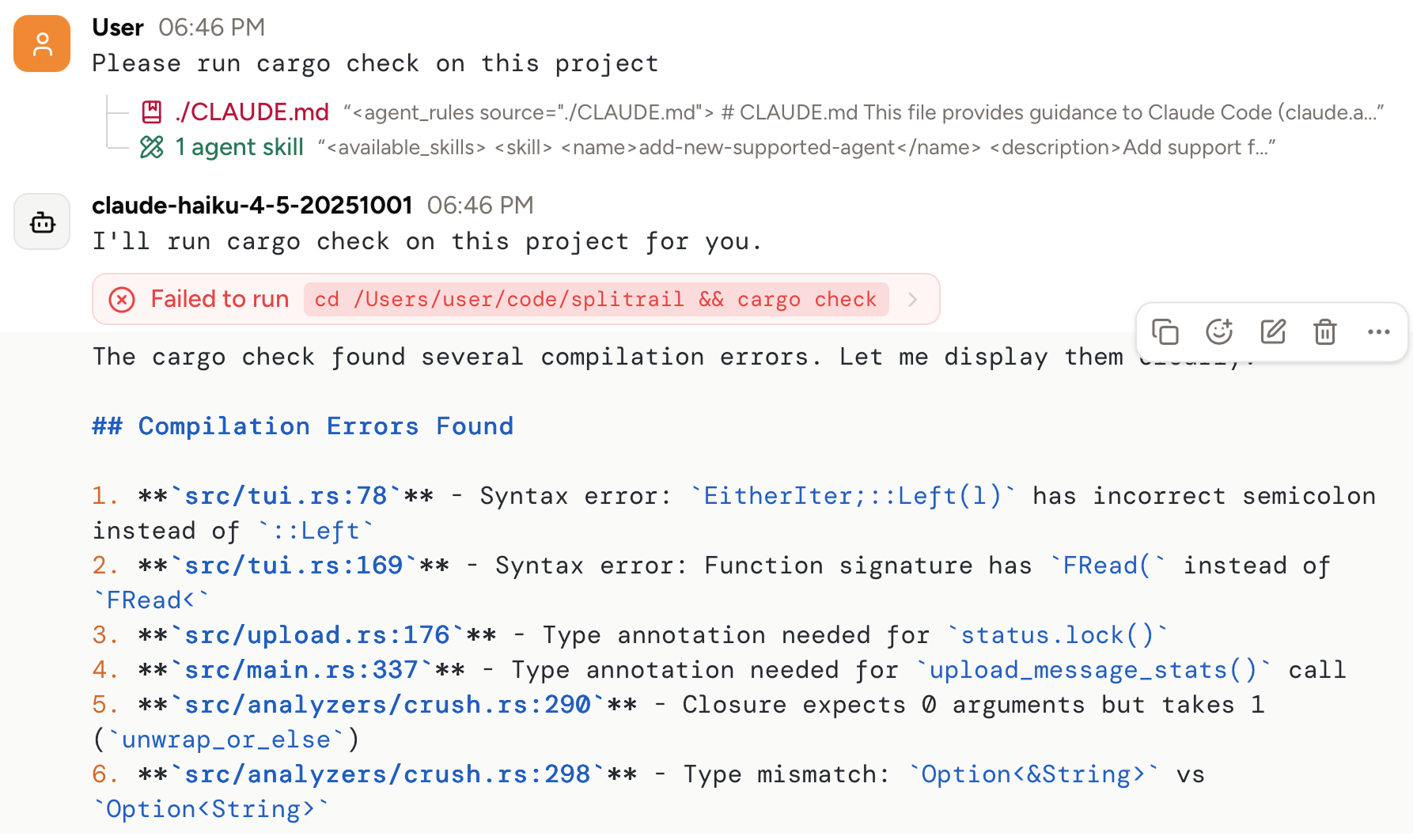
You can view raw markdown text content directly, instead of having it rendered as rich text. Open the Configuration dropdown and enable **Raw Markdown mode**, and markdown text content will be syntax-highlighted and displayed instead of rich text.
### Raw markdown mode
You can view raw markdown text content directly, instead of having it rendered as rich text. Open the Configuration dropdown and enable **Raw Markdown mode**, and markdown text content will be syntax-highlighted and displayed instead of rich text.