> ## Documentation Index
> Fetch the complete documentation index at: https://docs.piebald.ai/llms.txt
> Use this file to discover all available pages before exploring further.
> Easily view files referenced in AI's responses.
# Clickable file references
Available in [Piebald Pro](https://piebald.ai/pricing)
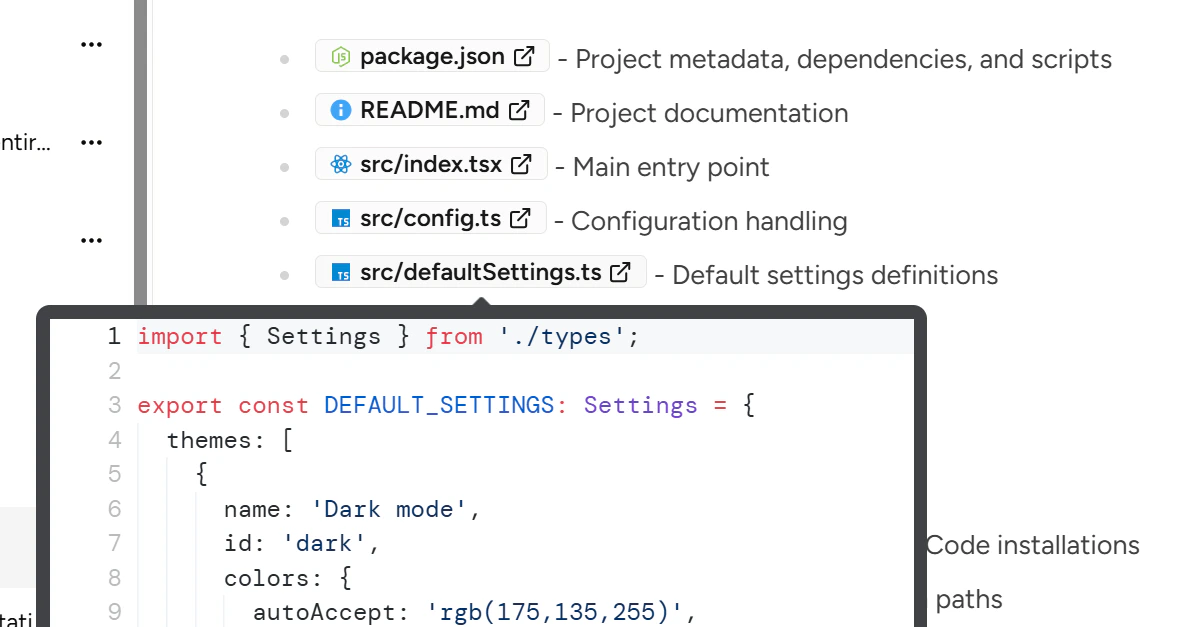
If you have [Piebald Pro](https://piebald.ai/pricing), then file or folder paths that the model references in its responses will be highlighted with a colored file-type-specific icon and made clickable. Clicking on them will open the file or folder in the default app/file browser. We're developing an integrated file browser and code editor into the app, so that clicking the file paths will open the file in the editor.
Hovering over a reference will load the file and show it with syntax highlighting, similar to file-\@mentions: