> ## Documentation Index
> Fetch the complete documentation index at: https://docs.piebald.ai/llms.txt
> Use this file to discover all available pages before exploring further.
> Piebald supports markdown admonitions.
# Markdown admonitions
Available in [Piebald Pro](https://piebald.ai/pricing)
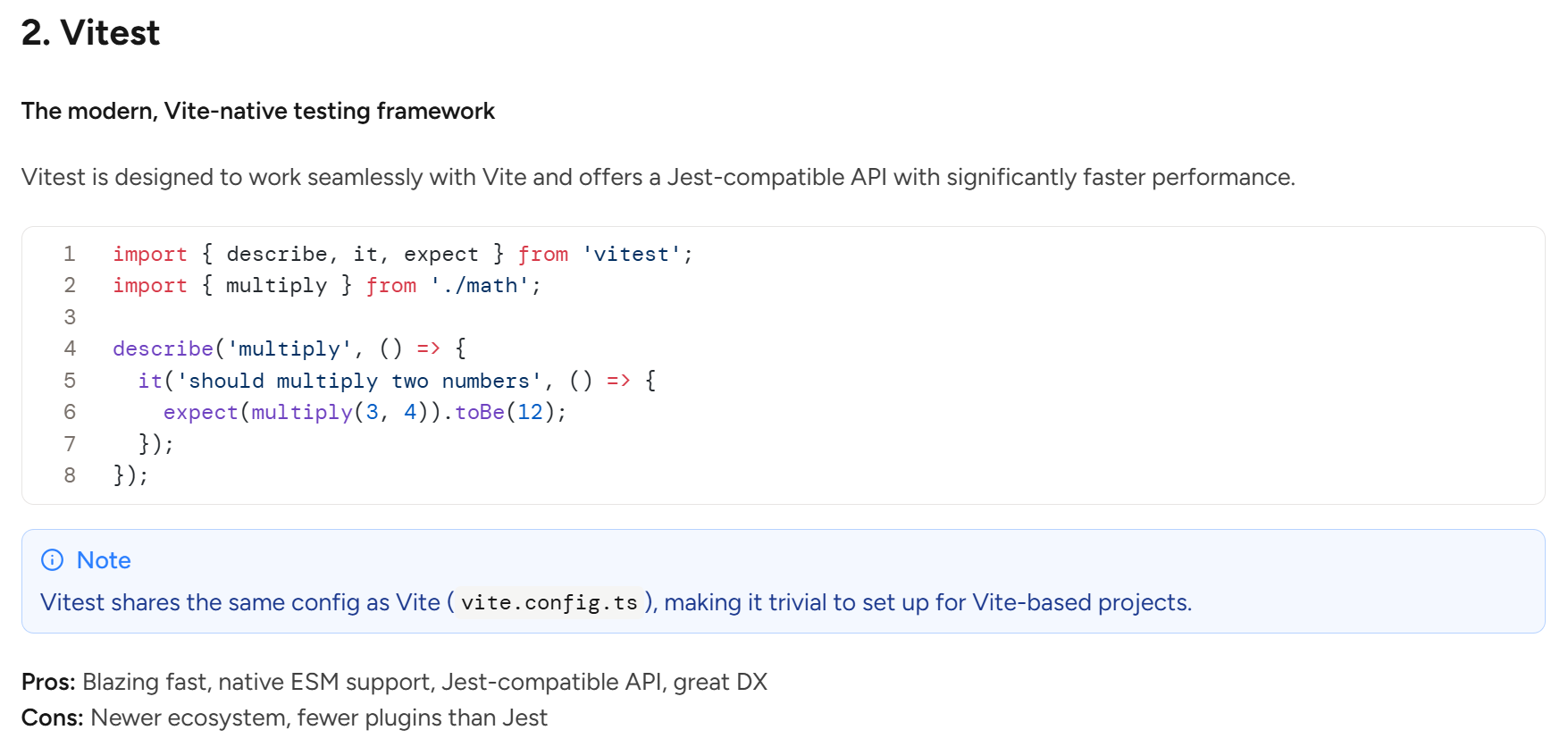
It's common for markdown renderers to support what are known as **admonitions, callouts,** or **alerts.** They're useful for things like notices or warnings in documentation. The syntax is similar to the blockquote syntax (`>`) but with an additional marker:
```markdown theme={null}
> [!NOTE]
> This is a **note.**
```
On the [Pro](https://piebald.ai/pricing) plan, Piebald natively supports rendering admonitions using [GitHub-flavored syntax:](https://docs.github.com/en/get-started/writing-on-github/getting-started-with-writing-and-formatting-on-github/basic-writing-and-formatting-syntax#alerts)
 ## Getting the model to use admonitions
For now, you'll need to **explicitly tell** the AI to use admonitions in order for it to use them—by default LLMs don't typically output admonitions unless told to. For example, you could create a profile and add *"Use `> [!TYPE]` admonitions in your responses when appropriate."*
However, in the near future we plan on making a more intuitive UI for enabling the model to use these and other markdown features. Imagine a toggle or checkbox labeled "Use admonitions" in a dropdown labeled "Additional markdown features," for example.
## Getting the model to use admonitions
For now, you'll need to **explicitly tell** the AI to use admonitions in order for it to use them—by default LLMs don't typically output admonitions unless told to. For example, you could create a profile and add *"Use `> [!TYPE]` admonitions in your responses when appropriate."*
However, in the near future we plan on making a more intuitive UI for enabling the model to use these and other markdown features. Imagine a toggle or checkbox labeled "Use admonitions" in a dropdown labeled "Additional markdown features," for example.