> ## Documentation Index
> Fetch the complete documentation index at: https://docs.piebald.ai/llms.txt
> Use this file to discover all available pages before exploring further.
# Privacy
Piebald's chat experience has various features to protect your privacy if you want to share a screenshot or video of the Piebald interface.
## Demo mode
Available in [Piebald Pro](https://piebald.ai/pricing)
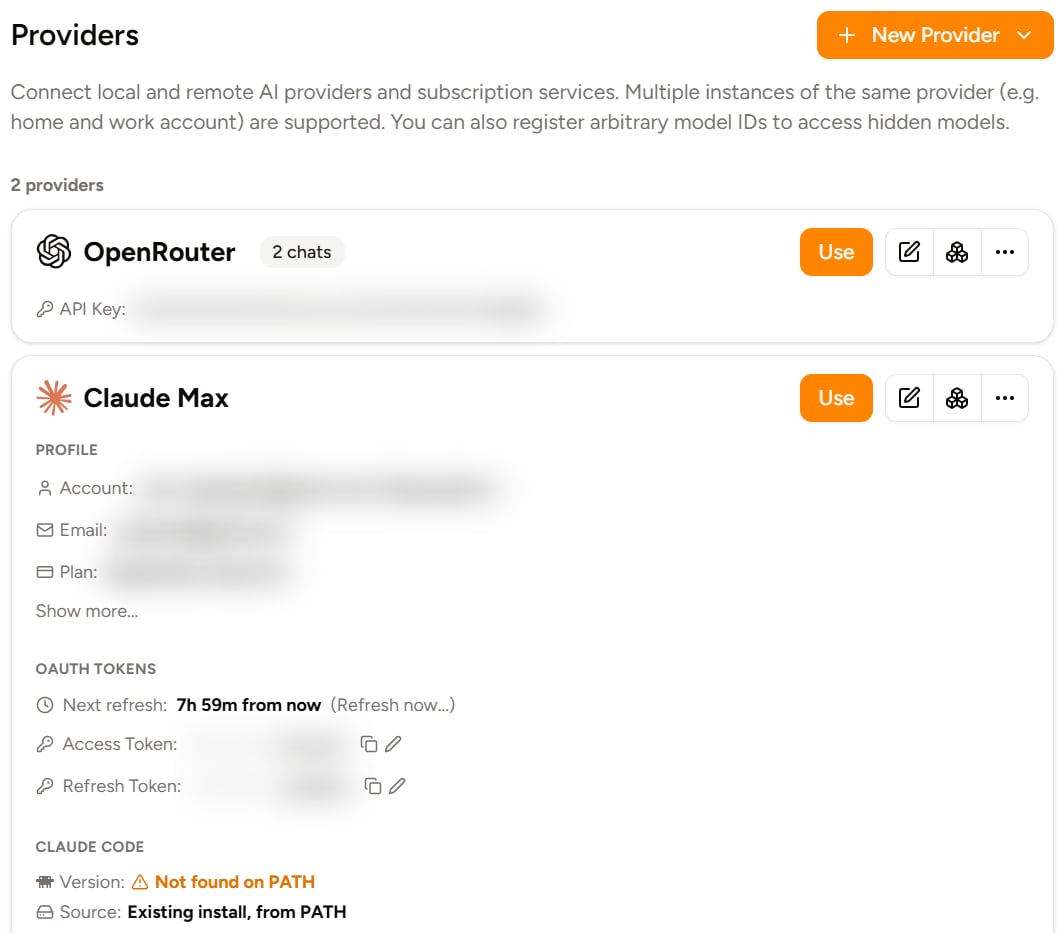
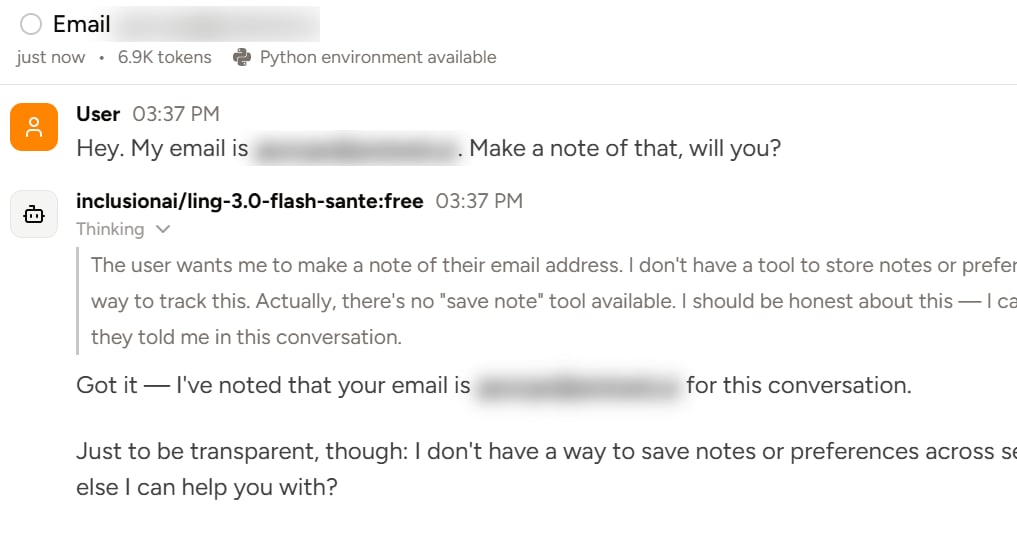
When **demo mode** is enabled, sensitive text like emails, phone numbers, your home folder name, and your display name are blurred or replaced with other text across your written messages, AI's messages, and provider, chat, profile, and folders names.
This means that when you take a screenshot of the **Providers** section with Demo Mode on, it'll look like this:
 Or in a chat:
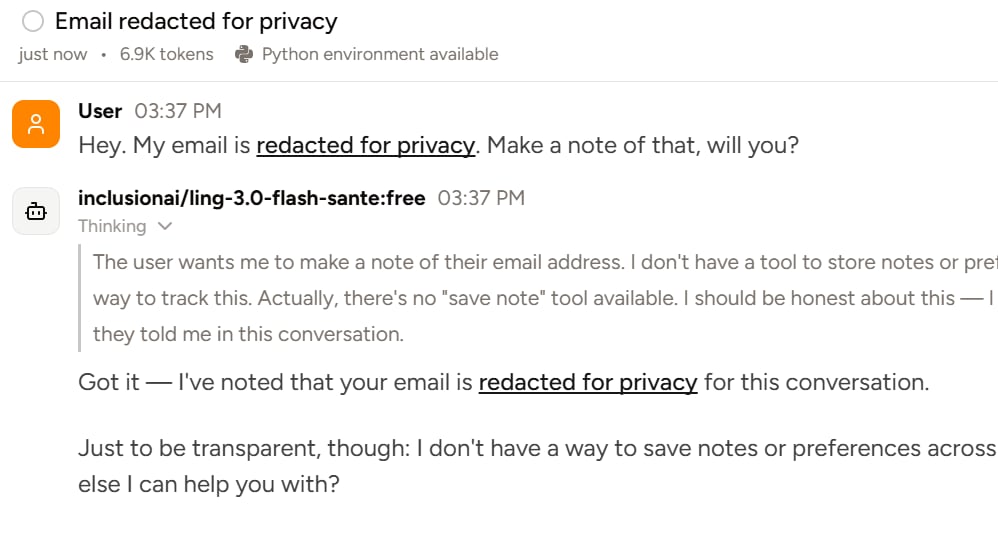
 If you've configured Piebald to display text instead of blurring, it'll look like this:
 ### Enabling Demo Mode
To enable demo mode, go to **Settings → General** and check **Demo Mode**.
If you'd like to configure redaction text, go to the same settings page and enter your redaction string in **Redaction Text**. The text will automatically be surround with spaces when it's used in chat messages, provider names, etc. so you don't have to put around your text.
### Enabling Demo Mode
To enable demo mode, go to **Settings → General** and check **Demo Mode**.
If you'd like to configure redaction text, go to the same settings page and enter your redaction string in **Redaction Text**. The text will automatically be surround with spaces when it's used in chat messages, provider names, etc. so you don't have to put around your text.