> ## Documentation Index
> Fetch the complete documentation index at: https://docs.piebald.ai/llms.txt
> Use this file to discover all available pages before exploring further.
# Managing chat tags
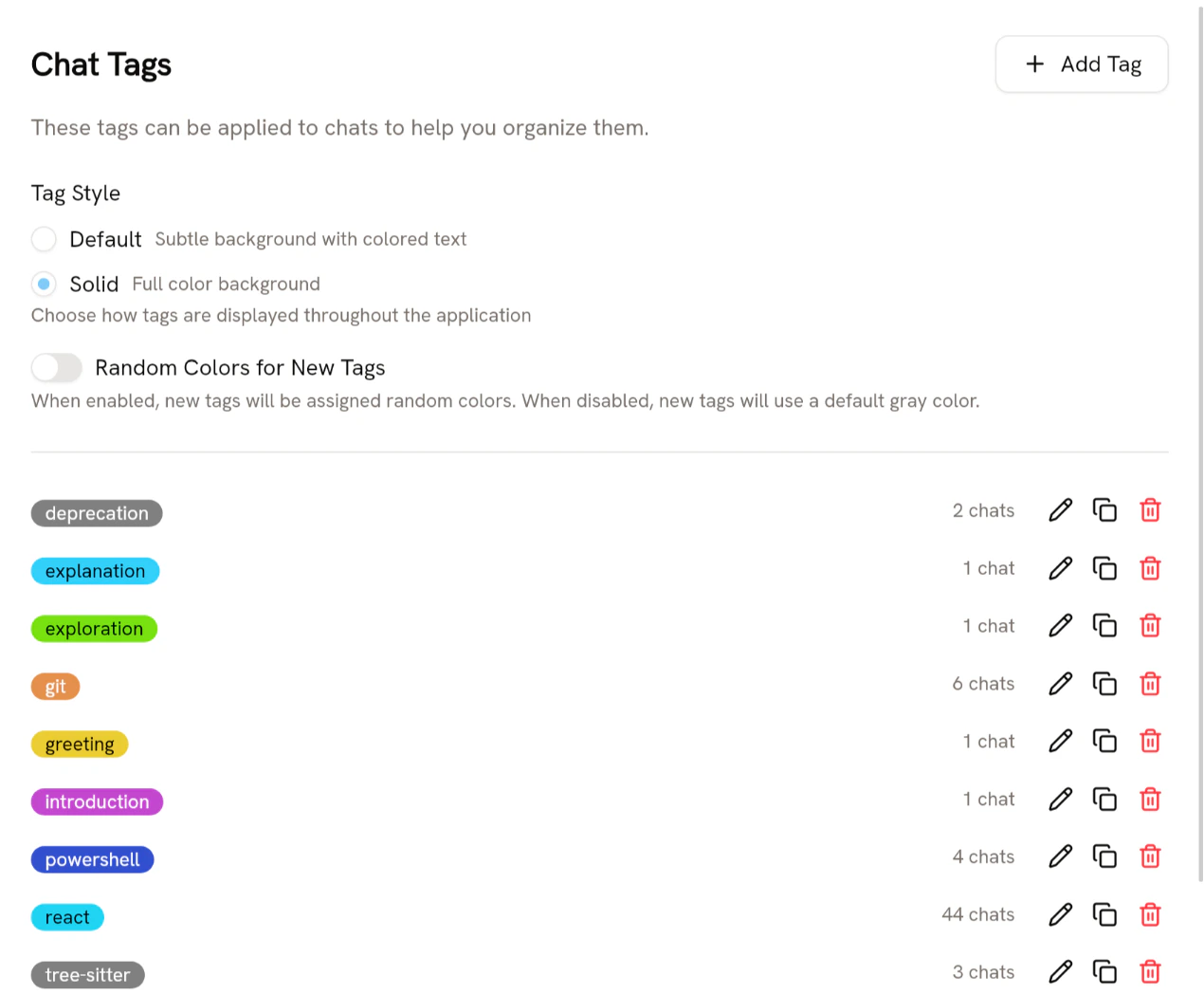
To create, rename, duplicate, change the color, or delete tags, go to **Settings → Chat Tags**. There you can also see how many chats use your tags.
 ### Merging tags
Piebald allows you to merge one tag into another. Hover the tag and click the merge button:
### Merging tags
Piebald allows you to merge one tag into another. Hover the tag and click the merge button:
 Then choose a tag to merge into, and click **Merge**:
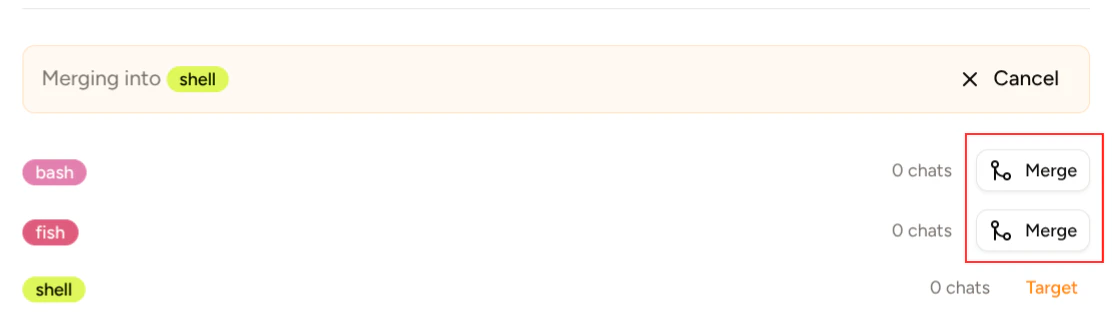 Clicking Merge on the **fish** tag would merge it into the **shell** tag; at the end, there would only be the **bash** and **shell** tags.
## Project-specific tags
If you have some tags that make sense in only certain projects but that don't make sense globally, you can create a tag on that specific project. Hover the project, click the settings icon, and select **Settings**.
Clicking Merge on the **fish** tag would merge it into the **shell** tag; at the end, there would only be the **bash** and **shell** tags.
## Project-specific tags
If you have some tags that make sense in only certain projects but that don't make sense globally, you can create a tag on that specific project. Hover the project, click the settings icon, and select **Settings**.
