Usage
You can start a new goal with the/goal <goal objective> slash command. The model can also start a goal itself by calling the CreateGoal tool.
Each time the model completes generation, Piebald automatically sends another user message with a goal-specific context notification reminding it to continue working or complete the goal. The model can update the goal with a builtin tool, UpdateGoal, to mark it as complete or blocked.
The model can also get the goal details at any time using the GetGoal builtin tool. This tool returns the original goal objective and the current state of the goal.
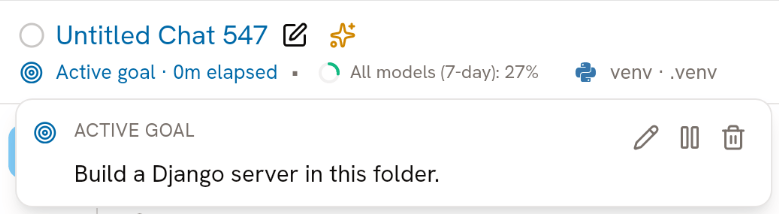
You can check on the progress of the goal by clicking the “Active goal” indicator in the chat bar at the top of the app: