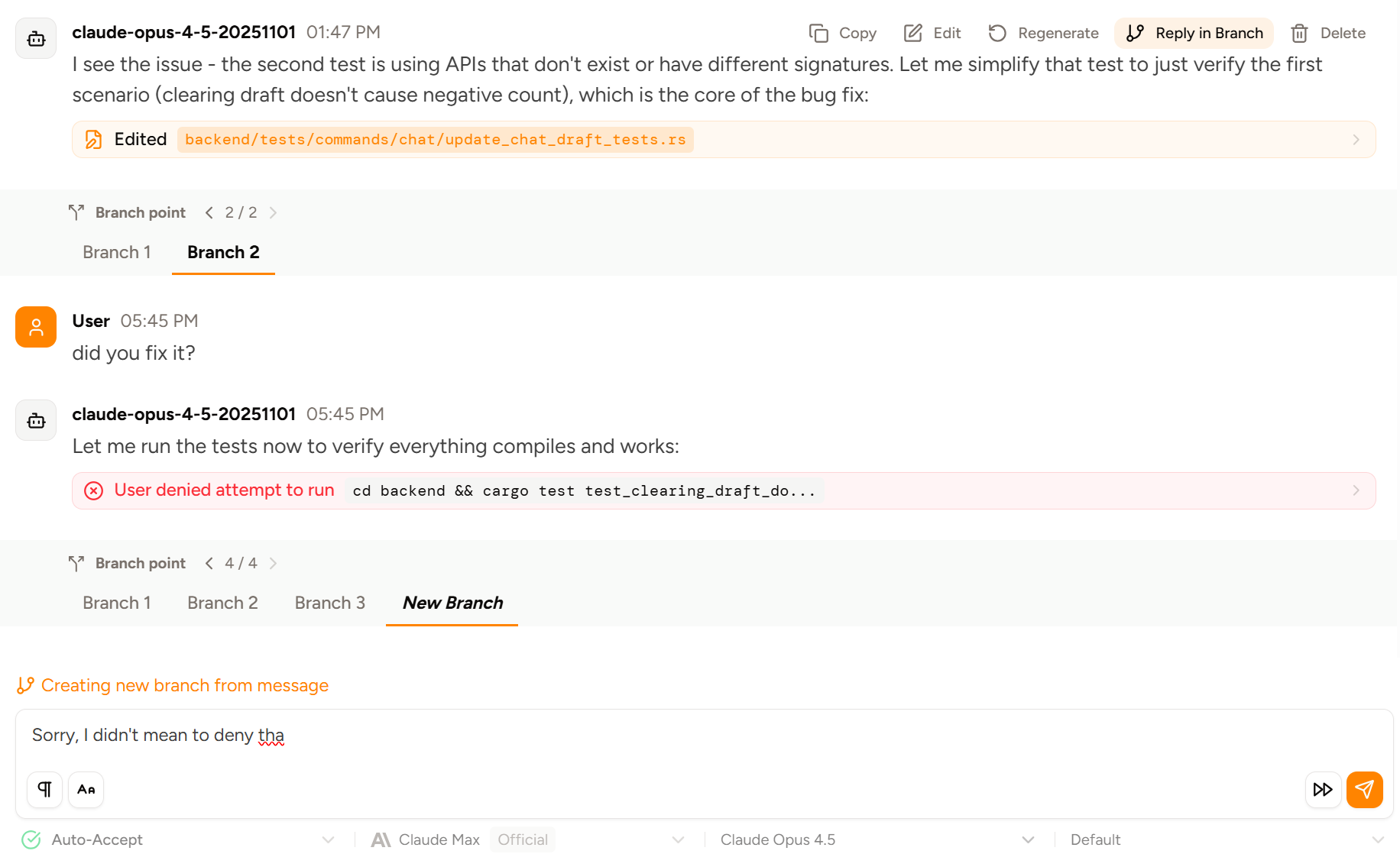
Piebald supports branching/forking chats for context efficiency.
Available in Piebald ProPiebald doesn’t constrain you to have a single, linear chat history. You can branch at any point in the chat, after any user or AI message.There are two ways of branching: replying to a previous message, and editing and regenerating a previous message. Both will generate a fresh response in a new branch.Branching allows you to be significantly more efficient with your context window. When you want to, for example, ask a followup question of an older response, or perform more tasks related to the current conversation, you don’t have to include subsequent irrelevant context.This lets you work with the conversation’s valuable past context for much longer before you have to compact or start a new chat, and avoids sending unnecessary tokens to providers.If you have branches but you’ve downgraded to Piebald Basic, then the branch point banner will still show but it will be locked:You can also rename a branch at any time. Hover over the tab and click “Rename”: