

When notifications are sent
Piebald will send notifications for the events:- The model finishes its task or response (technically, its generation completes without tool calls)
- The model calls one or more tools that require manual approval
- The generation fails due to a connection or server error (Pro)
Customizing notification string format (Pro)
Available in Piebald Pro If you have Piebald Pro, You can customize the title and body that are used for notifications. The default title and body for each notification type are as follows: Completion✓ {{chat_title}}Tool Approval
Complete after {{duration}}
⏸ {{chat_title}}Error
{{tool_name}} awaiting approval
✗ {{chat_title}}The following variables are available to use in titles and bodies:
Error: {{error_message}}
{{chat_title}}- Chat title{{duration}}- Generation time (completion only){{tool_name}}- Tool name (tool approval only){{tool_count}}- Number of tools (tool approval only){{error_message}}- Error details (error only)
Sounds
Piebald can play a sound when it sends notifications, with a configurable volume level independent from the system volume level. If you’d like to disable sounds for notifications, toggle Notification Sounds in Settings → Notifications.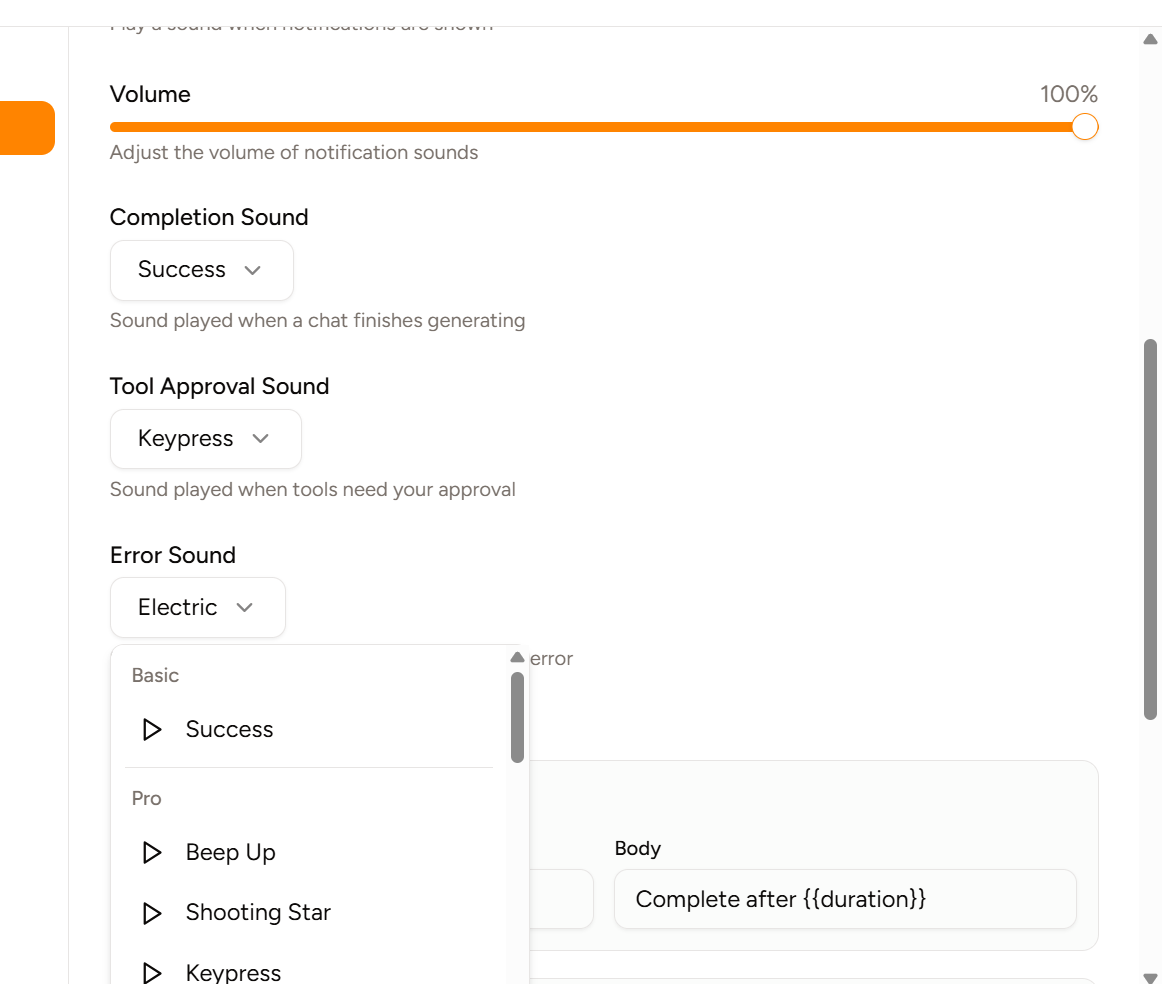
- Beep Up
- Shooting Star
- Keypress
- Buzz
- Bell
- Modulation
- Motor Buzz
- Starting Line
- Sweep
- Connected
- Clink
- Tick
- Confirmation
- Beep Down
- Beep Up 2
- Dual Tone
- Congrats
- Alarm Dark
- Alarm Light
- Loud Alarm
- Digital
- Error
- Pop
- Resume
- Menu Back
- Water Drop
- Electric
- Glitch
- Shimmer