Automatically-loaded context
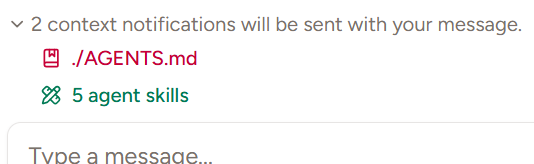
AGENTS.md and skills are automatically loaded from your project directory and your home folder. You can disable automatic context loading in Settings → Agent Context.AGENTS.md
Available in Piebald Basic (Free) Piebald supportsAGENTS.md (https://agents.md/). It will automatically read it from the current directory and attach it to the current chat:
Alternative file names
WhileAGENTS.md is preferred, Piebald will also read from the following other common file names:
CLAUDE.mdGEMINI.mdCRUSH.mdQWEN.mdIFLOW.mdWARP.mdcopilot-instructions.md.junie/guidelines.md.kiro/guidelines.md- + Add
Skills
Piebald also automatically reads and loads skills that you’ve created or installed locally in your project or globally. Project-specific skills are read from the following locations:<project root folder>/.claude/skills<project root folder>/.claude/commands<project root folder>/.agents/skills<project root folder>/.agents/commands
~/.claude/skills~/.claude/commands~/.agents/skills~/.claude/commands
~/.claude/plugins/installed_plugins.json file is read and parsed and skills are gathered from each plugin’s skills folder (e.g. ~/.claude/plugins/<plugin>/skills).
AI gathering context
AI chat search
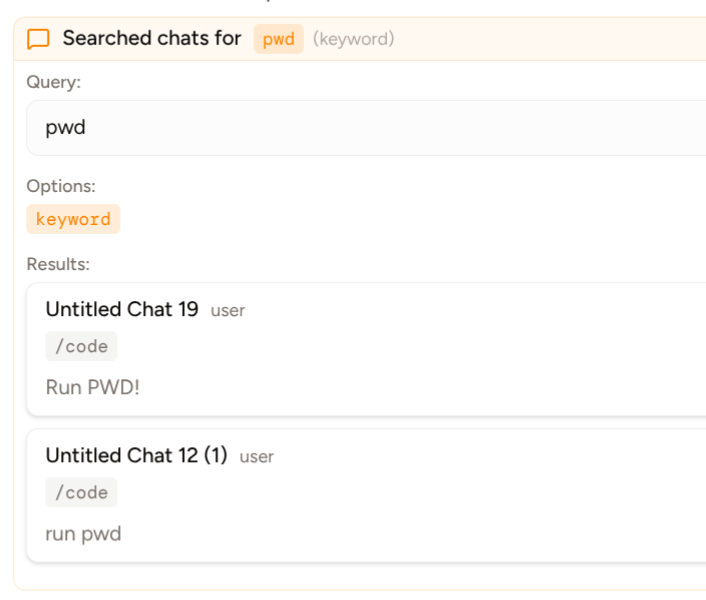
TheSearchChats tool allows the LLM to search your past chats. It provides various options for searching chats:
- Keyword/exact/regex mode.
- Date range (before and after dates).
- Project and worktree paths to search in.
- Filtering by roles (user and AI).
- Number of surrounding messages to include for extra context on each search result.
- Whether to include results from the current chat as the current chat is already available to the model.
- Maximum number of search results to return to the LLM. For example, the LLM might pass
1for this option for a broad discovery search.